
A ski trip that works for everyone in the group.
Fresh Tracks turns Claude, ChatGPT, Gemini or Grok into a patient trip planner for resort skiers and riders, from first-timers to families. Tell it who's going, their levels and your budget, and get a clear plan: which kind of resort and dates fit, what it costs per person with the prices you look up, what to pack, whether to rent or buy, which lessons to book, and how to stay warm and safe.
Get Fresh Tracks Ski Trip Planner for $5 Work out my budget
$5 once · card, Apple Pay or Google Pay · download in a minute
Into more than one hobby? Get all 70 hobby skills for $19, this one included.
- One-time $5
- Instant email delivery
- 14-day refund
- Works in Claude, ChatGPT, Gemini and Grok
Plan: 4 people, 3 ski days in February
2 first-timers (kids 7 and 10) · 2 intermediate adults · driving in
Beginner-friendly resortRent for the kidsLessons days 1 and 2
- ResortPick a resort with a big, separate beginner areaPlenty of green and easy blue runs, so the adults can ski nearbyChoose
- BudgetPer person: tickets + rentals + lodging share + lessonsUses the prices you look up, plus a 10% bufferBudget
- LessonsKids' group lessons, mornings of day 1 and 2Book ahead: holiday and school-break weeks fill upBook
- PackThree layers, no cotton, a helmet for everyoneBase layer, warm mid layer, waterproof shellPack
- ColdWind chill -20°F: exposed skin can freeze in about 30 minutesCover cheeks and nose, take warm-up breaks indoorsSafety
What a good ski school desk and a well-traveled friend would tell you
One skill, six jobs. Claude, ChatGPT, Gemini or Grok picks the right one from what you ask.
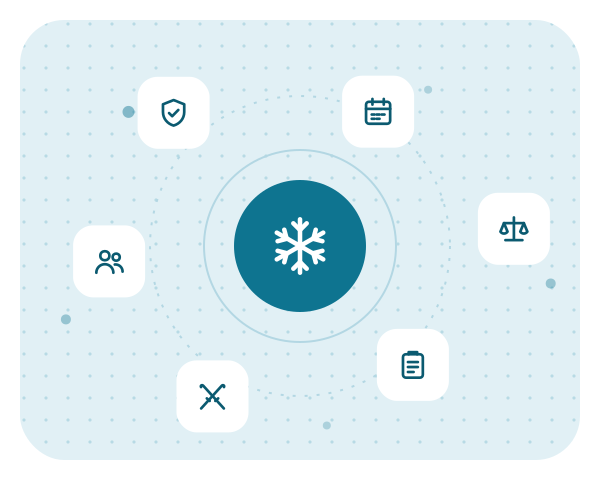
Resort and dates
What to look for in a resort for your group's levels, and how holidays, school breaks and snow timing affect crowds and cost.
Budget per person
Lift tickets, rentals, lodging, lessons, food and travel, added up from the prices you find, with the math shown.
Packing and layering
A packing list for your trip and a simple three-layer system that keeps kids and adults warm and dry.
Rent or buy
When renting makes sense, when to buy boots first, and typical ski and board length ranges to take to a shop.
Lessons and trail ratings
Lessons for kids and beginners, and what green circles, blue squares and black diamonds mean (and Europe's colors).
Cold, altitude and snowy roads
Wind chill and frostbite, altitude sickness signs, chains and winter tires, and the skier Responsibility Code.
Ask it like you'd ask a friend who skis
It plans around the least experienced person in your group, so everyone has a good day.
Lessons, at least for the first two days
Kids usually learn faster and happier from an instructor than from a parent, and ski school teaches them how to stop, turn and ride the lift safely. Many resorts start group lessons around age 3 to 5, so both kids should fit a kids' program. Check the age groups on the resort's site.
A simple plan
- Book morning group lessons for days 1 and 2, with rentals and a helmet included if the resort offers a package. Spring break weeks fill up, so book early.
- Pick them up at lunch and ski the beginner area together in the afternoon, practicing what they learned.
- Day 3: if they can stop and turn on easy green runs, ski greens together. If not, one more lesson.
- Dress them in a base layer, a warm mid layer and a waterproof jacket and pants. No cotton, and pack spare gloves.
Good to know
Spring snow can be icy in the morning and soft in the afternoon, and sun at altitude is strong: sunscreen and goggles or sunglasses for everyone.
Example answer from the full skill. Your answers depend on what you ask.
Honest about skiing
Ski trips are expensive and the mountains are serious. Fresh Tracks keeps it real.
- No made-up pricesTicket, rental and lodging prices change all the time. It never quotes them: it uses the prices you look up and shows the math.
- Resort skiing onlyIt won't plan backcountry or out-of-bounds skiing. For that it points you to avalanche courses and local avalanche forecasts.
- Doctors for healthFrostbite, altitude sickness and injuries go to ski patrol or a doctor. It tells you the warning signs, never a diagnosis.
- The shop fits your gearSki and board lengths are typical ranges. Boot fit and binding settings are a job for a trained shop technician.
Up and running in two minutes
No app to learn and nothing to install on your computer. It lives inside Claude, ChatGPT, Gemini or Grok.
Buy once
Pay $5 by card, Apple Pay or Google Pay. Your download link arrives by email in about a minute.
Add it to Claude, ChatGPT, Gemini or Grok
Upload the ZIP under Skills in Claude, or the unzipped folder in Gemini. It takes about 30 seconds. In Grok, upload the ZIP, or paste the included paste-in file into a new skill. In ChatGPT, add the included paste-in file to a Project.
Just ask
"Which kind of resort fits two beginners and an expert?" "What does this trip cost per person?" "What should my kids wear?"
Pick your app for the exact clicks
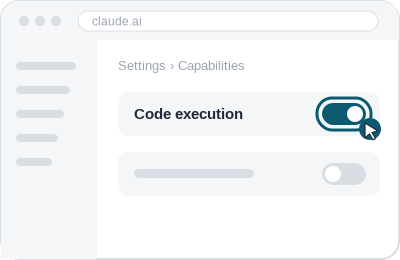
1In Settings, then Capabilities, turn on code execution.
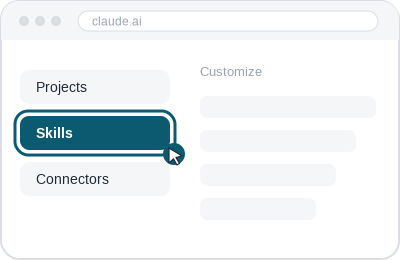
2Open Customize, then Skills.
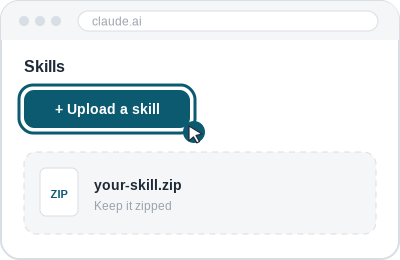
3Click +, choose Upload a skill, pick the ZIP. Keep it zipped.
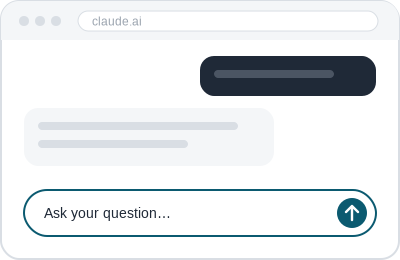
4Start a new chat and ask. Claude picks up the skill.
Works on every Claude plan, including the free one. Free plans have lower usage limits.
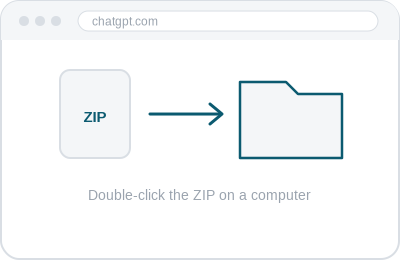
1On a computer, unzip the download and find ANY-AI-PASTE-VERSION.txt.
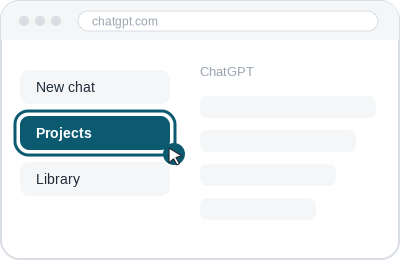
2In ChatGPT, open Projects and make a new project.
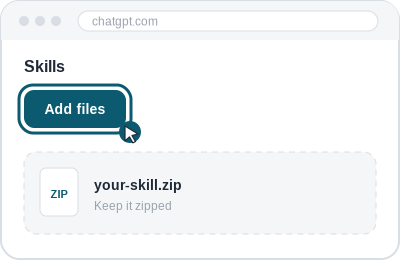
3Add the .txt file to the project. In its instructions, type: Follow the attached file.
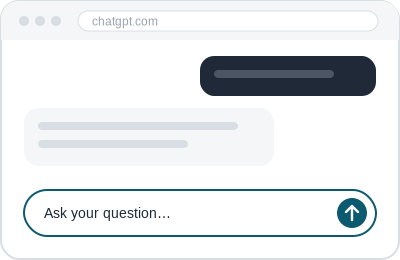
4Start a chat in that project and ask. On a Business, Enterprise or Edu plan, you can upload the ZIP under Skills instead.
Personal ChatGPT plans (Free, Plus, Pro) don't have a Skills page yet, so you use the paste-in version in a Project. On a Business, Enterprise or Edu plan, go to chatgpt.com/skills, choose Add, then Upload from your computer.
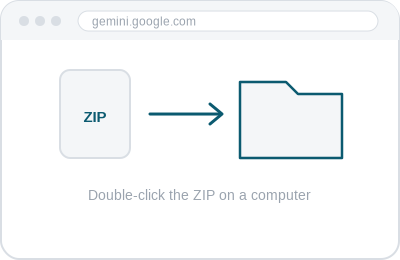
1On a computer, unzip the download. You get a folder.
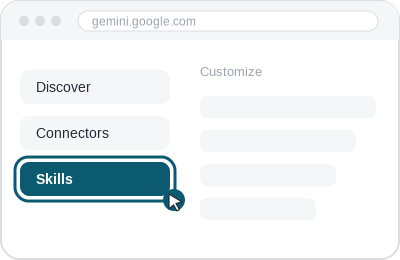
2At gemini.google.com, open Customize, then Skills.
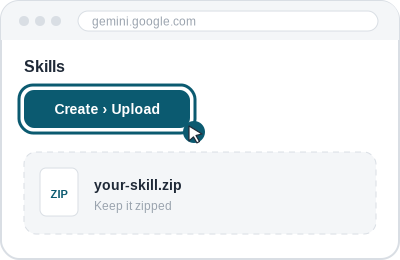
3Choose Create, then Upload, then folder. Pick the unzipped folder.
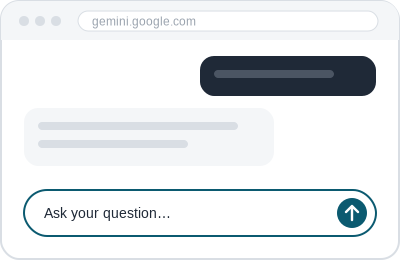
4Start a new chat and ask.
Gemini takes the unzipped folder, not the ZIP. Menus in Gemini change often, so names may differ slightly.
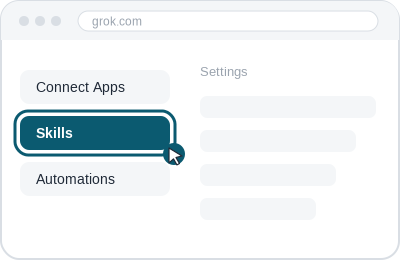
1At grok.com, open Settings, then Skills.
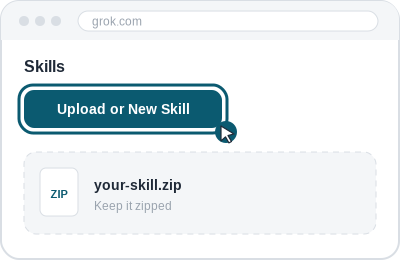
2If you see Upload, pick the ZIP. If you only see New Skill, use the next step.
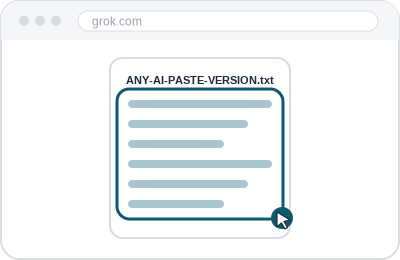
3New Skill: name it, then paste the text of ANY-AI-PASTE-VERSION.txt (below the line of equals signs) into Instructions.
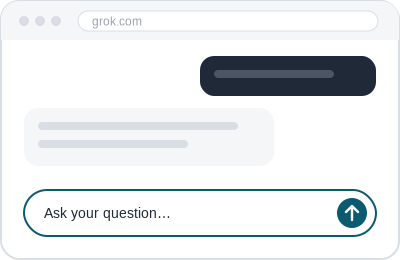
4Save it, start a new chat and ask.
Some Grok plans upload the ZIP; others show a New Skill form, where you paste the skill text in. Menus in Grok change often, so names may differ slightly.
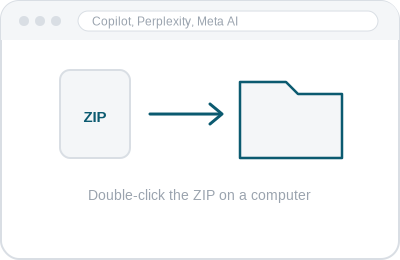
1No Skills page? Unzip the download on a computer.
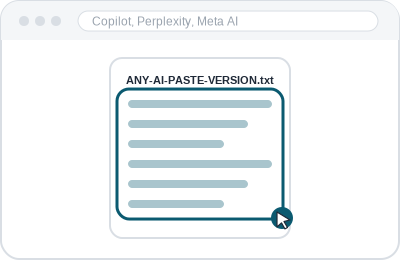
2Open ANY-AI-PASTE-VERSION.txt and copy everything.
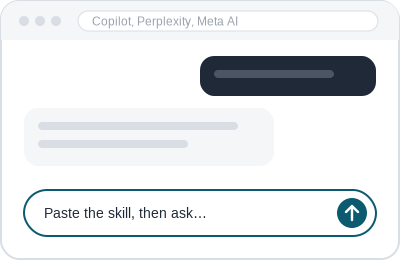
3Paste it into a new chat, then ask your question.
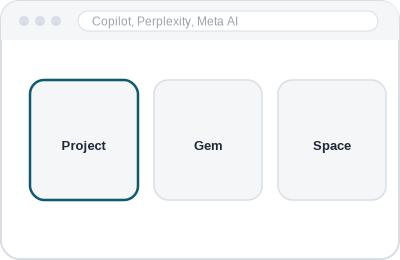
4To keep it on, add it to a ChatGPT Project, Gemini Gem or Perplexity Space.
Using Claude Code, Codex, Cursor or another coding agent? Unzip it into the skills folder, for example unzip fresh-tracks-ski-trip-planner.zip -d ~/.claude/skills/
On your phone? Go ahead and buy: the download link goes to your email and works for a year. Adding a skill is easiest from a computer, in a web browser or the desktop app, so open that email there when you're ready. Want to try it on your phone today? Open the ZIP, copy ANY-AI-PASTE-VERSION.txt into any chat app, and ask.
Start with the free Packing List
A small skill that builds a ski or snowboard packing list for your trip and your group, with a simple layering guide for the cold you expect.
- A list for each person, kids included
- Three-layer clothing for the temperatures you expect
- What to rent there and what to bring
Get Fresh Tracks Ski Trip Planner
Pay once, use it for every trip. Includes the free Packing List too.
How to add it
Upload the ZIP under Skills in Claude, or the unzipped folder in Gemini (in Grok, upload the ZIP or paste the paste-in file into a new skill; in ChatGPT, add it to a Project), then start a new chat and try: "Four of us are going skiing for 3 days: me and my partner ski blue runs, and our kids (8 and 11) have never skied. What kind of resort should we look for, and how do we budget it?"
See the clicks for your app. Every download also comes with a paste-in version for any other chat, and a Start Here PDF.
Step-by-step guides with pictures: Claude · ChatGPT · Gemini · Grok
Fresh Tracks Ski Trip Planner
Resort and dates, budget per person, packing, rentals, lessons and staying safe.
$5 one time
- Choosing a resort and dates for your group
- Budget per person from the prices you find, with the math
- Packing lists and a layering system
- Rent or buy, with typical ski and board lengths
- Lessons for kids and beginners, and trail ratings
- Cold, altitude, snowy roads and the Responsibility Code
- Updates for a year
Card, Apple Pay or Google Pay through Stripe. Taxes calculated at checkout. 14-day refund.
Giving it as a gift? Buy it, forward the email, and print a gift card.
See a real answer from the full skill
You ask: We're taking our kids, 6 and 9, skiing for the first time over spring break. Neither has skied. Should we put them in lessons or teach them ourselves?
Lessons, at least for the first two days
Kids usually learn faster and happier from an instructor than from a parent, and ski school teaches them how to stop, turn and ride the lift safely. Many resorts start group lessons around age 3 to 5, so both kids should fit a kids' program. Check the age groups on the resort's site.
A simple plan
- Book morning group lessons for days 1 and 2, with rentals and a helmet included if the resort offers a package. Spring break weeks fill up, so book early.
- Pick them up at lunch and ski the beginner area together in the afternoon, practicing what they learned.
- Day 3: if they can stop and turn on easy green runs, ski greens together. If not, one more lesson.
- Dress them in a base layer, a warm mid layer and a waterproof jacket and pants. No cotton, and pack spare gloves.
Good to know
Spring snow can be icy in the morning and soft in the afternoon, and sun at altitude is strong: sunscreen and goggles or sunglasses for everyone.
Into more than one hobby? The Skill Pass gets you all 70 hobby skills, this one included, for $19.
New to AI skills?
Fresh Tracks is a skill: a set of expert instructions you add to your own Claude, ChatGPT, Gemini or Grok account, so it answers like a ski trip planner who knows the craft.
- Using Gemini? Unzip it and upload the folder on its Skills page. Using Grok? Under Settings, Skills, upload the ZIP or paste the paste-in file into a new skill. Using ChatGPT? Add the included paste-in file to a Project.
- New to all of them? Claude is an AI assistant made by Anthropic. Make an account at claude.ai: skills work on every Claude plan, including the free one, with code execution turned on in Settings, Capabilities.
- Try the free Packing List skill first. If you like it, the full skill is one purchase.
Not ready for an AI app? The free ski trip budget calculator on this site works in any browser, no account needed.
Free ski trip tools
No sign-up, they run in your browser.
Made by Nic Hubert, What If Labs
I run What If Labs from British Columbia, Canada. I build each skill with AI help and test it on real questions, and a separate reviewer checks it before it goes on sale. If it doesn't do what this page says, email me at hello@whatiflabs.ai and I'll fix it or refund you.
No reviews yet: this store is new. Tell me how it went and I'll use it to make the skill better.
Questions
Is it for skiers or snowboarders?
Both, at any level from first day to expert, and for families with kids. It plans around everyone in your group.
Will it tell me what lift tickets cost?
No. Prices change by date, demand and how early you buy, so any number it quoted could be wrong. You look up the prices, and it adds them up per person and shows the math.
Can it plan a backcountry or sidecountry tour?
No. Skiing outside resort boundaries means avalanche terrain. It points you to an avalanche course (AIARE in the US, Avalanche Canada in Canada) and the local avalanche forecast, and plans resort days only.
Does it know current snow and road conditions?
No. It tells you what to check and where: the resort's snow report, the weather forecast, and the state or provincial road and chain rules before you drive.
What do I need to use it?
A Claude, ChatGPT, Gemini or Grok account. In Claude it works on any plan, including the free one, with code execution turned on (Settings, Capabilities). Free accounts have lower usage limits, so long planning sessions go further on a paid plan. It works in Claude on the web, the desktop app and Claude Code. In Gemini and Grok, upload it on the Skills page. In ChatGPT, personal plans (Free, Plus, Pro) don't have Skills yet, so you add the included paste-in file to a ChatGPT Project; Business, Enterprise and Edu plans can upload the ZIP under Skills. Coding agents that read SKILL.md files work too. Using Copilot, Perplexity, Meta AI or another chat with no Skills page? Every download includes a paste-in version (ANY-AI-PASTE-VERSION.txt) that works in any AI chat.
What if it doesn't work for me?
Email hello@whatiflabs.ai within 14 days of buying and we'll refund you in full. No forms, no questions.
How is this different from just asking an AI?
A general AI answer is often vague or skips steps. The skill gives your AI an expert's method: what to ask you first, the checklists and calculations to run, and the mistakes to warn you about. You get consistent, specific answers instead of a different guess each time.
Do I pay every month?
No. It's a one-time price, and updates to the skill are free.
Can I get a refund?
Yes. Every purchase comes with a 14-day refund, no questions asked. Reply to your receipt email and we'll take care of it.
What if it gets something wrong?
It shows its working, so you can check numbers and dates. Tell it what's off and it will correct itself. For anything where a mistake costs money or safety, double-check before you act, as you would with any advice.
Is my information private?
The skill runs inside your own Claude, ChatGPT, Gemini or Grok account, and we never see your chats. When you buy, Stripe handles the payment and we keep your email and order so we can send the download. The terms and privacy page has the details.